Tag: PS6100

  • Equallogic and IOPS

    Equallogic and IOPS

    I do see a lot of questions regarding Equallogic and IOPS, especially after the Hybrid arrays surfaced in to the public. The XVS from the PS6000-series and the new XS from the 4100 and 6100 series are those arrays I get an IOPS request for most often.

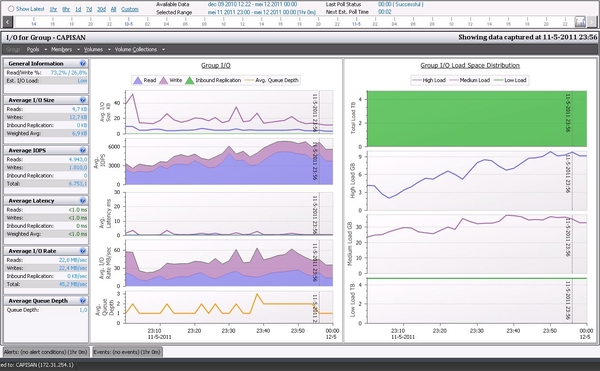
    But it is not so simpel to state an IOPS number for these arrays, I do know the simple math when adding IOPS performance from all disks. This though, does not take a lot of things into calculation like how much can the mirrored cache on the controllers add in performance, what are the read/write ratio etcetera.

    If you talk with some of the Dell partners who are certified in Dell storage, they are able to help with sizing of the Equallogic platform, but also take the above mentioned points into consideration. Dell has an on-line sizing tool, where the partner can create both existing environment (of Equallogic) and show the predicted performance when you buy additional arrays. The same tool certainly also show what a new setup will look like from performance perspective.

    Before you do that why not run Dpack analyse ?

    Dpack is Dell’s Performance Analysis Collection Kit which runs for 4 to 24 hours as usual, but is also able to log for up to 7 days if needed. Dpack runs in memory, so you don not need to install anything and after collecting is done you simply send in the collected data and get a nice performance report back from your Dell partner.

    After reading the report, just tell your Dell Partner to size an Equallogic platform based on the Dpack outcome. Now you’re done and problably get a fine quote with a number of Equallogic arrays. This can be made so simple.

    I’m sorry for not detailing the IOPS for the XVS or XS arrays, but at Dell we use a thing called RPS score which is very dependent of the read/write ratio and the arrays choosen.
  • Equallogic all over (again)

    Equallogic all over (again)

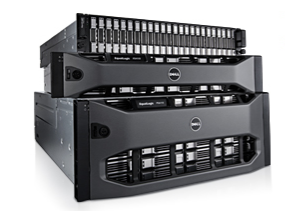
    EQL PS6110/4110Dell recently released the latest series of PS-series array in the Equallogic family,this release with the series 14 and 17 controllers adds 10Gbit to the 6100 and 4100’s. What’s most important with these arrays, is the addition of both copper and fiberbased 10Gbit connections. The copper is standard RJ-45 whch requires Kat-7 cabling, but together with the 8024 from the classic Powerconnect range, you’ll have a cheap killer-setup.

    The fiber is standard SFP+ connections which can be utilized with either TwinAxial copper-cables with integrated SFP+ or with SFP LC modules for longer distances.This combination of both fiber and copper options, is for Equallogic “old school”, this was last featured on Generation 1 and 2 arrays, and series 1 and 2 controllers all the way back in 2004/5

    The biggest news story on the new additions is that for the first time the PS4000-series SMB range of arrays get 10Gbit interfaces, though you are still limited to a max of 2 arrays on the 4000-family. The normal 6000 series can have up to 16 arrays in the same SAN, or 2.1PB of data in total across 768 diskdrives, whereas the 4000 series can hav a total of 48 drives.

    The limitation is still in the numbers of volumes/snapshots/replications you can have on the 4000 series, no change to this scheme

    One other important feature to remember is “vertical port failover” which was re-introduced with the PS6100/4100 series. With reintroduction I mean this is also “old school”, and it is a nice feature, with a tendancy to confuse the IT-admins, as they have to count the number of lights on the switch. It does not matter if the link is activ on controller 1 or 2.

    With the new arrays it is important to populate the same port on both controllers, e.g. RJ-45 or SFP+. You actually have 4 ports in total on the backside, plus two 100Mbit management ports, but you will only have light in one of the four dataports. The vertical port failover will happen between the same type of port, and if accidently have choosen to use SFP+ on controller 1, and RJ-4 on controller 2, you will get downtime if a controller failover should happen.

    The new series of arrays will provide you with up to 160Gbit throughput for a large SAN, and set you back a few bucks. But a Equallogic solution is still cheap, especially when you compare others against the PS6110XS with 7 pcs of large SSD drives and 17 pcs of 10.000rpm drives for a total of +20.000 Iops and 10TB useable storage capacity, all in a single box. And with the performance loadbalancing inside the array it’s a killer.

    About me: I’ve been working with (not for) Equallogic since the early days back in 2004/2005 and firmware revision 0.91. These arrays are my small babies, and when compared to all the other SAN products I havee encountered during the last 17 years, they are still no.1.